
Download
Whisply for Mac
A private, capture-aware AI copilot for Mac — meetings, interviews, Computer Use, and more. Free to start.
1
Download & open
Grab the .dmg and drag Whisply to Applications.
2
Grant permissions
One-click setup for screen and microphone access.
3
Hit ⌘ + ↵
Whisply is ready, with capture protection available for supported paths.
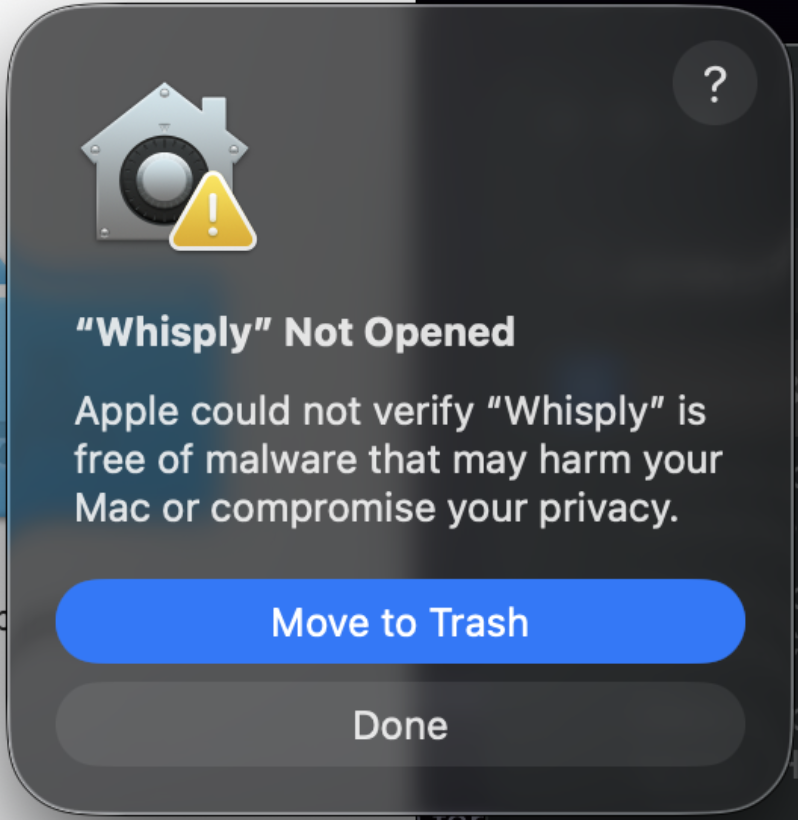
See “Whisply” Not Opened? Here’s the fix.
macOS shows this for apps installed from outside the App Store. It takes about twenty seconds to clear, and you only ever do it once.
- 1Click Done — don’t click “Move to Trash”.
- 2Open System Settings and go to Privacy & Security.
- 3Scroll down to the Security section — you’ll see “Whisply” was blocked to protect your Mac.
- 4Click Open Anyway, confirm with Touch ID or your password, then click Open.
That’s it — macOS remembers your choice, and Whisply opens normally from then on.